
How to make a Christmas photo with ChatGPT (and keep everyone's face)
Updated
Upload a clear photo to ChatGPT, ask for a Christmas scene and say to keep every face exactly as in the photo. It works well for one or two people. With a whole family from separate photos, faces drift more and each picture is one at a time; here you label each person once and get a free preview, then a full set plus a printable card.
1 · Photos of everyone
Say who each photo is, so everyone keeps their own face. Children: only your own, as their parent or guardian.
- Free preview, no email needed
- Photos deleted after 30 days
- One free correction
2 · Christmas scenes
Your preview uses the first one you pick. A gallery spreads its pictures across 2 to 8 of them, by size.
Free, takes about 2 minutes, no payment details. By continuing you agree to the terms. If you leave an email we send the preview and at most two reminders; unsubscribe any time.
Making your preview… about a minute or two
Not quite right? Say what's off and we'll make it again, free.
Get your Christmas photos
Preview without the watermark, a gallery and your card
Card, Apple Pay, Google Pay · Ready in 10 to 30 minutes
Doing it in ChatGPT
- Start a new chat and attach your photo (or one photo of each person, up to a few).
- Say who is in each photo: "Photo 1 is me, photo 2 is my daughter, she is 6."
- Describe one scene, then add the line that keeps faces (below).
- If someone looks off, say exactly what to fix: "Keep my daughter's missing front tooth."
- Ask for the next scene in the same chat; re-attach the photos if faces start to drift.
Prompts to copy
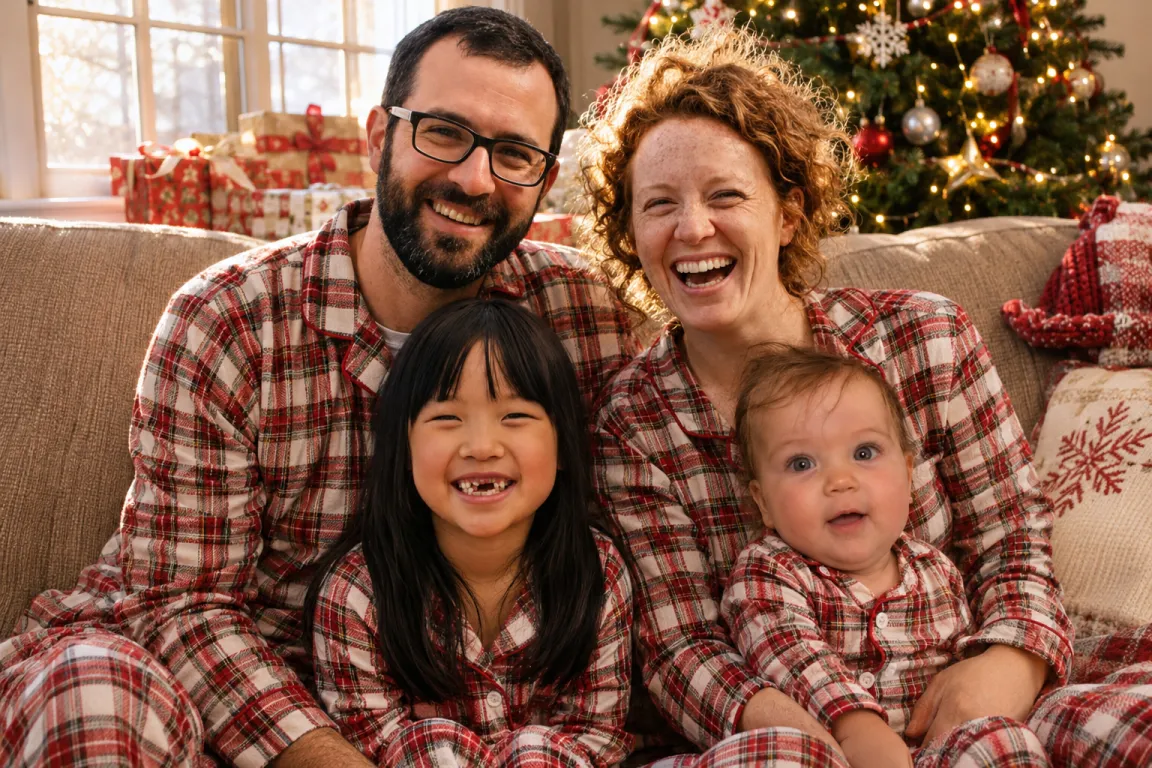
- Christmas morning: "Put the people from my photos on a couch in matching red plaid Christmas pajamas, a decorated tree and gifts behind them, soft morning light."
- Fireplace portrait: "A family Christmas portrait by a stone fireplace with stockings, everyone in cozy knit sweaters, warm evening light."
- Snow: "Everyone outside in fresh snow in front of a log cabin with a wreath, red scarves and knit hats, light snow falling."
- With Santa: "A classic visit-with-Santa photo: the children from my photos next to Santa in a big armchair by the tree."
- Add to every prompt: "Keep every face exactly as in its photo (face shape, eyes, smile, glasses, hair, skin tone). Keep children exactly as young as they are. Nobody else in the picture. A natural photograph, no text."
Where ChatGPT gets hard
- Several people from separate photos: the more faces, the more often one comes out as a stranger or two people blend.
- Children are often made older or smoother unless you insist on their real age.
- One picture at a time, so a set of 20 for choosing a card photo takes a long evening.
- It doesn't lay out a card: greetings drawn by the image model often come out misspelled.
The same thing, set up for families
Here each photo gets a name and says adult, child, baby or pet, and the instructions already include the face-keeping line, children's real age and "nobody else". You pick scenes (pajamas, fireplace, snow, Santa, a studio portrait and more) and see one free watermarked preview with a free correction. A gallery is $9 for 20 pictures, and the card is typeset by us, not drawn by AI, so your greeting is spelled right.
Questions
Is the ChatGPT Christmas photo free?
You can make a few pictures on ChatGPT's free plan, with daily limits on images. A paid plan raises them.
Why did ChatGPT change my face?
Image models redraw the whole picture. Name who is in each photo, ask it to keep every face exactly as in the photo, and fix one detail at a time.
Can I use my ChatGPT picture for a card?
Yes, if it's sharp enough to print. For a 5 x 7 inch card you want about 1500 x 2100 pixels.
Related
- AI Christmas photo generator
- How to put separate photos into one Christmas card photo
- No Christmas card photo yet? How to get one without a photoshoot
- Why AI changes faces in Christmas photos, and how to keep them right
- How to make a Christmas photo with ChatGPT (and keep everyone's face)
- Christmas card photo ideas: 14 to try this year
- Christmas pajama family photos: ideas, poses and how to get one
- Pricing